


Simple Planner
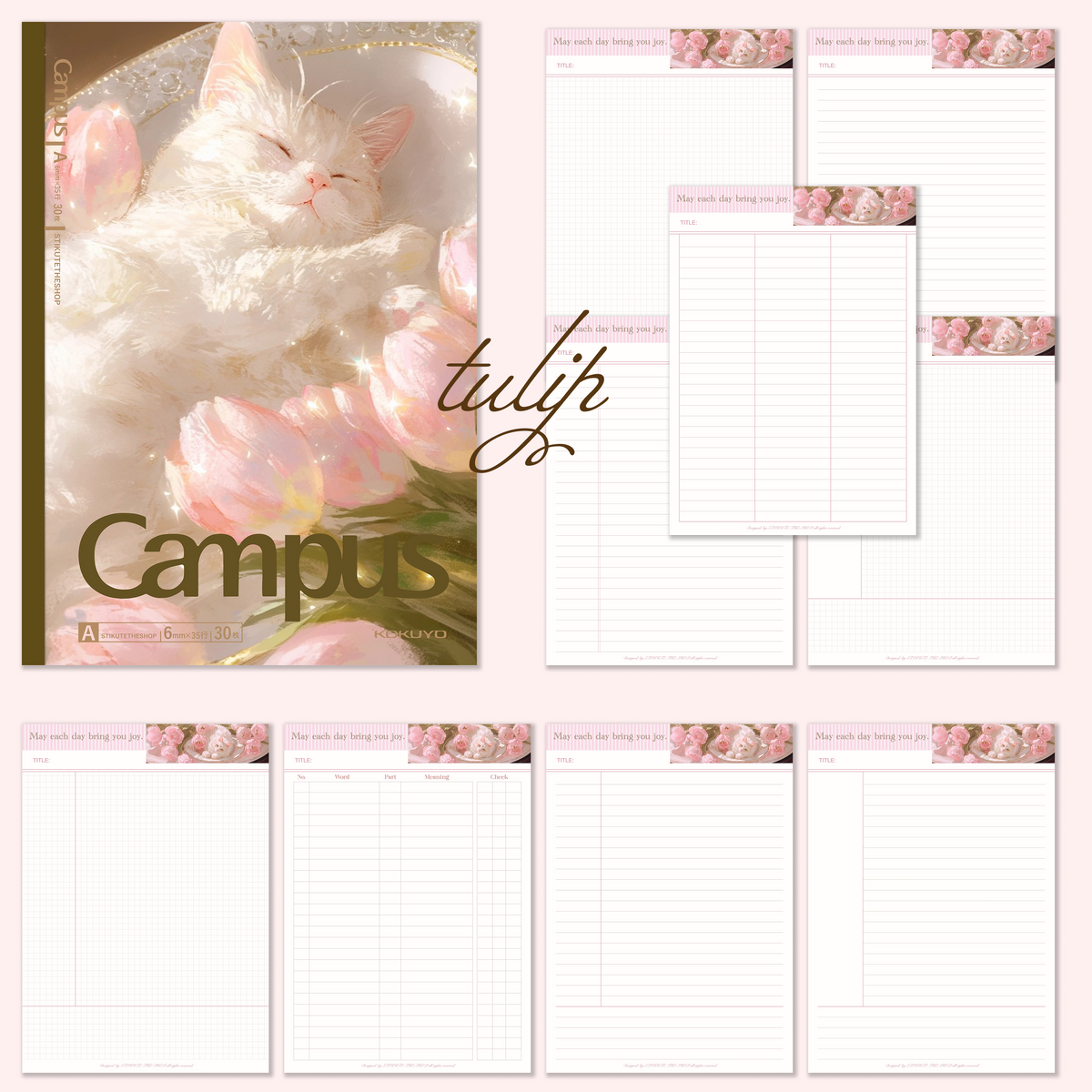
Meow and Flowers Digital Planner |Cat lovers|Goodnotes and Notability
Meow and Flowers Digital Planner |Cat lovers|Goodnotes and Notability
Couldn't load pickup availability
A little meow, a lot of flowers, and endless cozy moments. ♡
Step into a dreamy world of fluffy kittens, blooming roses, and soft pastel colors with our Meow & Flowers Digital Planner! 🎀
Inspired by vintage florals and the sweetest little cats, this planner brings a touch of romance and cuteness to your everyday notes, plans, and creative moments.
Whether you're journaling your thoughts, organizing your day, or simply enjoying a little creative time, let these adorable kittens make every page feel extra special. 💕
🌷 What's Included
- 🐈 3 Adorable Themes – Dreamy kittens, delicate flowers, and charming vintage-inspired designs.
- 📖 9 Page Templates – A lovely collection of layouts for your notes and planning.
- 🎀 Soft & Romantic Aesthetic – Pretty pink florals, fluffy cats, and cozy details.
- 💕 Digital Convenience – Enjoy a cute, paper-inspired planning experience on your device.
✨ Make Every Day a Little Cuter!
Your cozy little corner of creativity starts here! ♡
Share


Frequently asked questions
How do I get my files after purchase?
After you complete your checkout, you’ll see a download link on the order confirmation page.
You’ll also receive a confirmation email with the same download link.Click the link to instantly download your files to your device. It will be a zip file(since it contains multiple files),please unzip it~
Didn’t get the email?
Check spam/junk folders. Still missing? Contact us — we’ll resend or provide a Google Drive link.
Why is it a ZIP file? How do I unzip it?
It needs to be a zip file to include multiple PDFs, PNGs, or fonts).
Here’s how to open it 👇
- Mac: Double-click to unzip automatically.
- Windows: Right-click → “Extract All” or open with WinRAR / 7-Zip.
- iPad / iPhone: 1. Open the Files app, then find the ZIP file or archive you want to uncompress.2. Tap the ZIP file or archive. A folder will be created containing the files(and u can see the files inside now~)
- Android: Use Files by Google or any unzip app (like ZArchiver).
How to import the planner into my device?
Take Goodnotes as example,There are several ways to import:
- 、Open GoodNotes → tap “+” → Import → choose your downloaded file (from Files / iCloud / Dropbox).
- Or open your file in Files / Mail / Safari → tap “Share” → Open in GoodNotes / Copy to GoodNotes.
- You can also upload to your Drive or Dropbox, then open from there inside GoodNotes.
You can find a more detailed tutorial in our blog posts↓
More questions?
Our Blog has more how-to guides (and we’re still adding new ones!) — go take a look 💕
Blog posts
View all-
Stardew Valley Digital Planner Setup for GoodNotes
Set up a Stardew Valley digital planner in GoodNotes: import steps, fixing hyperlinked tabs, adding farm stickers, and seasonal planning ideas.
Stardew Valley Digital Planner Setup for GoodNotes
Set up a Stardew Valley digital planner in GoodNotes: import steps, fixing hyperlinked tabs, adding farm stickers, and seasonal planning ideas.
-
How to Choose a 2027 Digital Planner (Buying Gu...
How to choose a 2027 digital planner: dated vs undated, what to check before buying, planner styles compared, and why October beats January.
How to Choose a 2027 Digital Planner (Buying Gu...
How to choose a 2027 digital planner: dated vs undated, what to check before buying, planner styles compared, and why October beats January.
-
How to Use a Digital Planner: Beginner's Guide ...
Learn how to use a digital planner on iPad or tablet, from importing the PDF to daily planning with hyperlinks, stickers, and app tips.
How to Use a Digital Planner: Beginner's Guide ...
Learn how to use a digital planner on iPad or tablet, from importing the PDF to daily planning with hyperlinks, stickers, and app tips.