Simple Planner
Wizarding Academia Digital Planner - Hyperlinked 4 House Themes
Couldn't load pickup availability
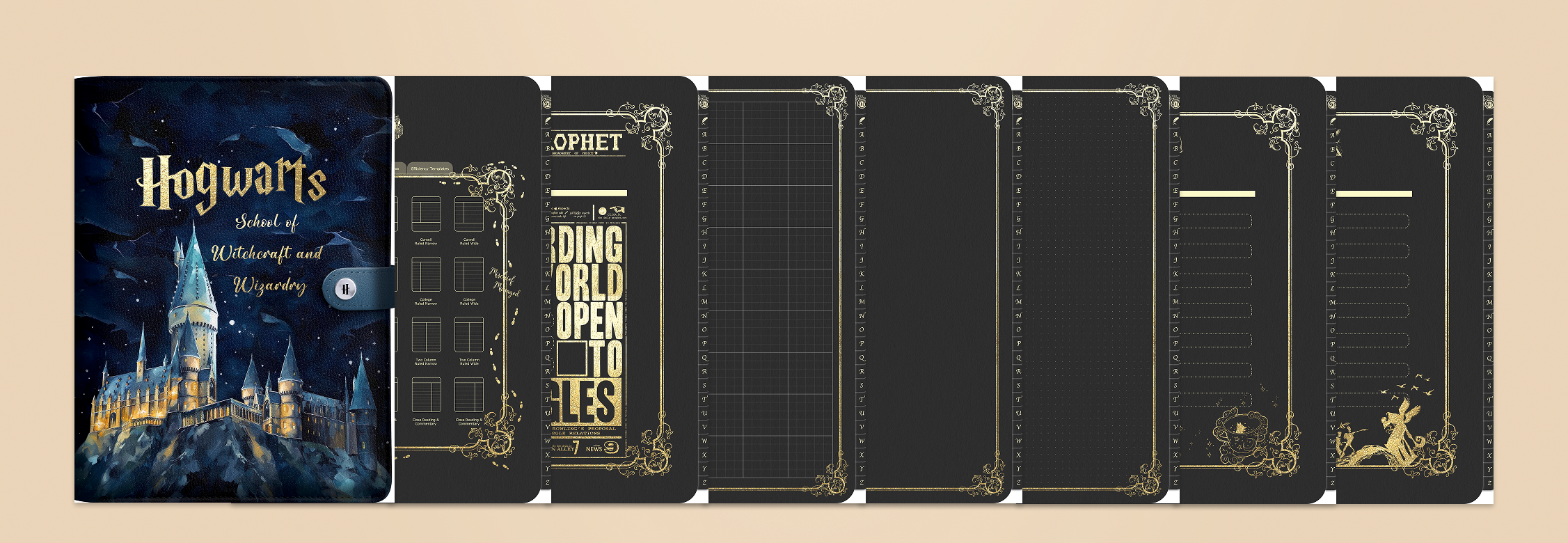
This wizarding academia digital planner brings illustrated magic-school charm to your iPad, with house themes and hyperlinked pages that make daily planning feel a little magical. It suits students, dark academia fans and anyone who wants their GoodNotes setup to look like it belongs in an old candlelit library.
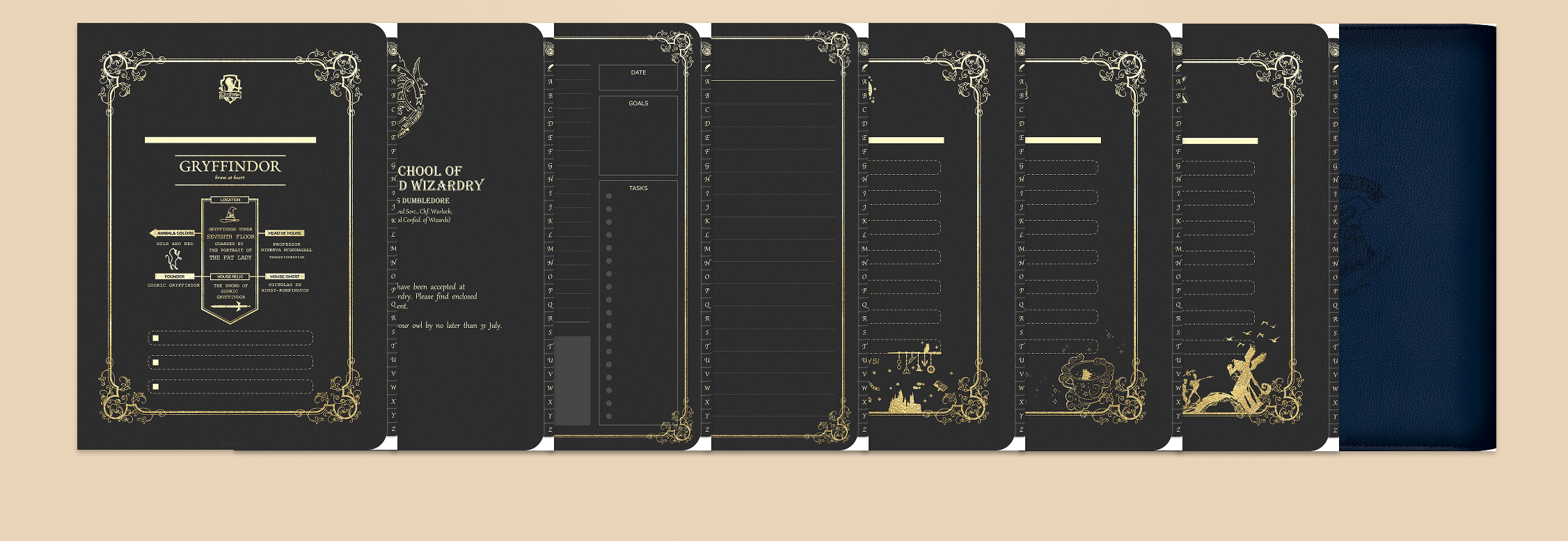
What's inside (90+ pages): an illustrated cover, a castle entry page with custom house design, 4 individual house pages, a menu section, a newspaper-style page and a wide range of planning templates for goal tracking, class management, budget planning and even film reviews. A bonus set of 65+ illustrated stickers - spells, characters, tags and color palettes - lets you decorate every spread. Hyperlinked tabs carry you across months and sections in a single tap.
Choose your edition: the general castle theme, one of the four house themes, the dark academia variant, or the All-in-One bundle of 6 notebooks.
Compatibility: Works in GoodNotes, Notability, Noteshelf, Samsung Notes and similar PDF annotation apps. Files arrive as a ZIP containing PDFs and PNGs.
Delivery: Instant digital download via the confirmation page and email link after purchase, with lifetime access. No physical item ships.
Please note: as a digital download, this planner is non-refundable once accessed. This is an original design inspired by a popular aesthetic; it is not affiliated with any game or film franchise.
Share
More HP products
-
Dark Academia House Planner Set - 4 Hyperlinked Notebooks + Stickers
Regular price From $5.79 USDRegular priceUnit price / per$10.99 USDSale price From $5.79 USDSale -
Wizarding Academia Digital Planner - Hyperlinked 4 House Themes
Regular price From $5.79 USDRegular priceUnit price / per$10.99 USDSale price From $5.79 USDSale -
Magic Academia Digital Sticker Pack - 123 Hand-Drawn PNG Stickers
Regular price $0.99 USDRegular priceUnit price / per$4.99 USDSale price $0.99 USDSale -
Magical Christmas Digital Stickers | 100+ Wizard-Inspired Designs
Regular price $0.99 USDRegular priceUnit price / per$4.99 USDSale price $0.99 USDSale
Love this, made a personal diary that pages can be printed out as needed and a yearly calender. I love being able to make whatever using these templates. Kinda bummed it didnt work as a proper digital one where your pages were already there and all you had to do is write and add stickers to the pages as desired but all in all not mad at that cause i still love being able to customize my book and pages as i see fit.
Love love love this. Easy to upload and naviagte
Love IT
Exactly what I needed to stay on track for exams
I use it to plan my classes and it's good
Collapsible content
How do I get my files after purchase?
After you complete your checkout, you’ll see a download link on the order confirmation page.
You’ll also receive a confirmation email with the same download link.Click the link to instantly download your files to your device. It will be a zip file(since it contains multiple files),please unzip it~
Didn’t get the email?
Check spam/junk folders. Still missing? Contact us — we’ll resend or provide a Google Drive link.
Why is it a ZIP file? How do I unzip it?
It needs to be a zip file to include multiple PDFs, PNGs, or fonts).
Here’s how to open it 👇
- Mac: Double-click to unzip automatically.
- Windows: Right-click → “Extract All” or open with WinRAR / 7-Zip.
- iPad / iPhone: 1. Open the Files app, then find the ZIP file or archive you want to uncompress.2. Tap the ZIP file or archive. A folder will be created containing the files(and u can see the files inside now~)
How to import the planner into my device?
Take Goodnotes as example,There are several ways to import:
- 、Open GoodNotes → tap “+” → Import → choose your downloaded file (from Files / iCloud / Dropbox).
- Or open your file in Files / Mail / Safari → tap “Share” → Open in GoodNotes / Copy to GoodNotes.
- You can also upload to your Drive or Dropbox, then open from there inside GoodNotes.
You can find a more detailed tutorial in our blog posts↓
More questions?
Our Blog has more how-to guides (and we’re still adding new ones!) — go take a look 💕