

Simple Planner
Editable Family Photo Christmas Card - Christmas Stripe Template
Editable Family Photo Christmas Card - Christmas Stripe Template
Couldn't load pickup availability
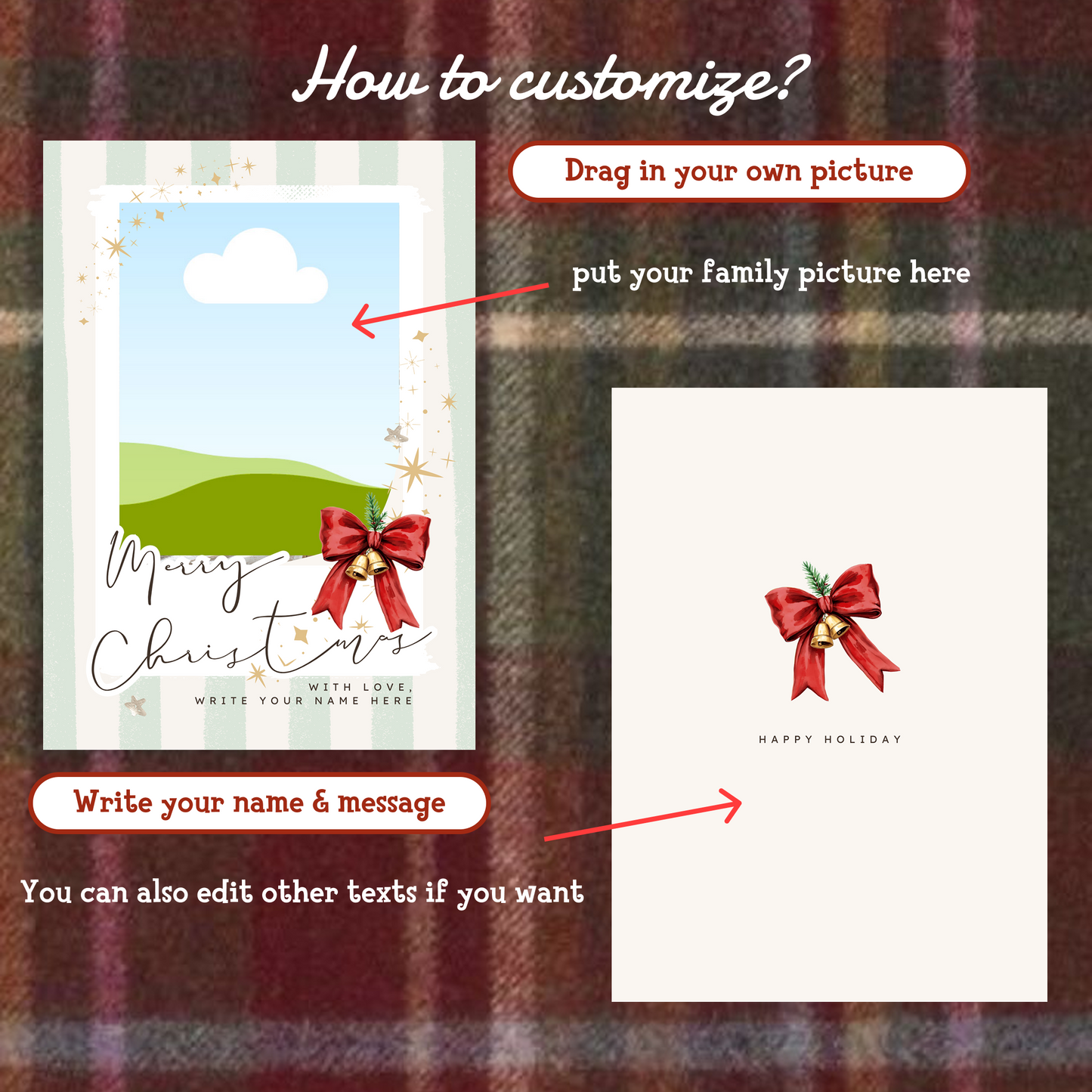
This editable photo Christmas card Canva template in the classic Christmas Stripe design turns one family photo into a finished holiday card in minutes. It's ideal for busy families and anyone who wants a personal card for relatives, friends, or co-workers — including the last-minute senders among us.
Inside the download is one editable Christmas card template featuring a festive striped illustration design. Every part of it is customizable: swap the photo, rewrite the text, and adjust colors and design elements until it feels like yours. The high-resolution file is suitable for both printing and digital sharing, and the template can be reused year after year with a new photo and message.
Editing is done directly in Canva through the browser or the Canva app, and the template is beginner-friendly — no design experience needed, just a free Canva account.
You'll receive your files instantly after purchase, with a download link on the order confirmation page and in your email. The download is a ZIP archive; extract the files, follow the template link into Canva, and start personalizing. Your download comes with lifetime access, so you can return to it every holiday season.
Please note that as an instant digital download, this template is non-refundable once the files have been accessed.
Share

Frequently asked questions
How do I get my files after purchase?
After you complete your checkout, you’ll see a download link on the order confirmation page.
You’ll also receive a confirmation email with the same download link.Click the link to instantly download your files to your device. It will be a zip file(since it contains multiple files),please unzip it~
Didn’t get the email?
Check spam/junk folders. Still missing? Contact us — we’ll resend or provide a Google Drive link.
Why is it a ZIP file? How do I unzip it?
It needs to be a zip file to include multiple PDFs, PNGs, or fonts).
Here’s how to open it 👇
- Mac: Double-click to unzip automatically.
- Windows: Right-click → “Extract All” or open with WinRAR / 7-Zip.
- iPad / iPhone: 1. Open the Files app, then find the ZIP file or archive you want to uncompress.2. Tap the ZIP file or archive. A folder will be created containing the files(and u can see the files inside now~)
How to import the planner into my device?
Take Goodnotes as example,There are several ways to import:
- 、Open GoodNotes → tap “+” → Import → choose your downloaded file (from Files / iCloud / Dropbox).
- Or open your file in Files / Mail / Safari → tap “Share” → Open in GoodNotes / Copy to GoodNotes.
- You can also upload to your Drive or Dropbox, then open from there inside GoodNotes.
You can find a more detailed tutorial in our blog posts↓
More questions?
Our Blog has more how-to guides (and we’re still adding new ones!) — go take a look 💕