


Simple Planner
Cozy Cafe Digital Planner | Monthly, Weekly & Daily Pages
Cozy Cafe Digital Planner | Monthly, Weekly & Daily Pages
Couldn't load pickup availability
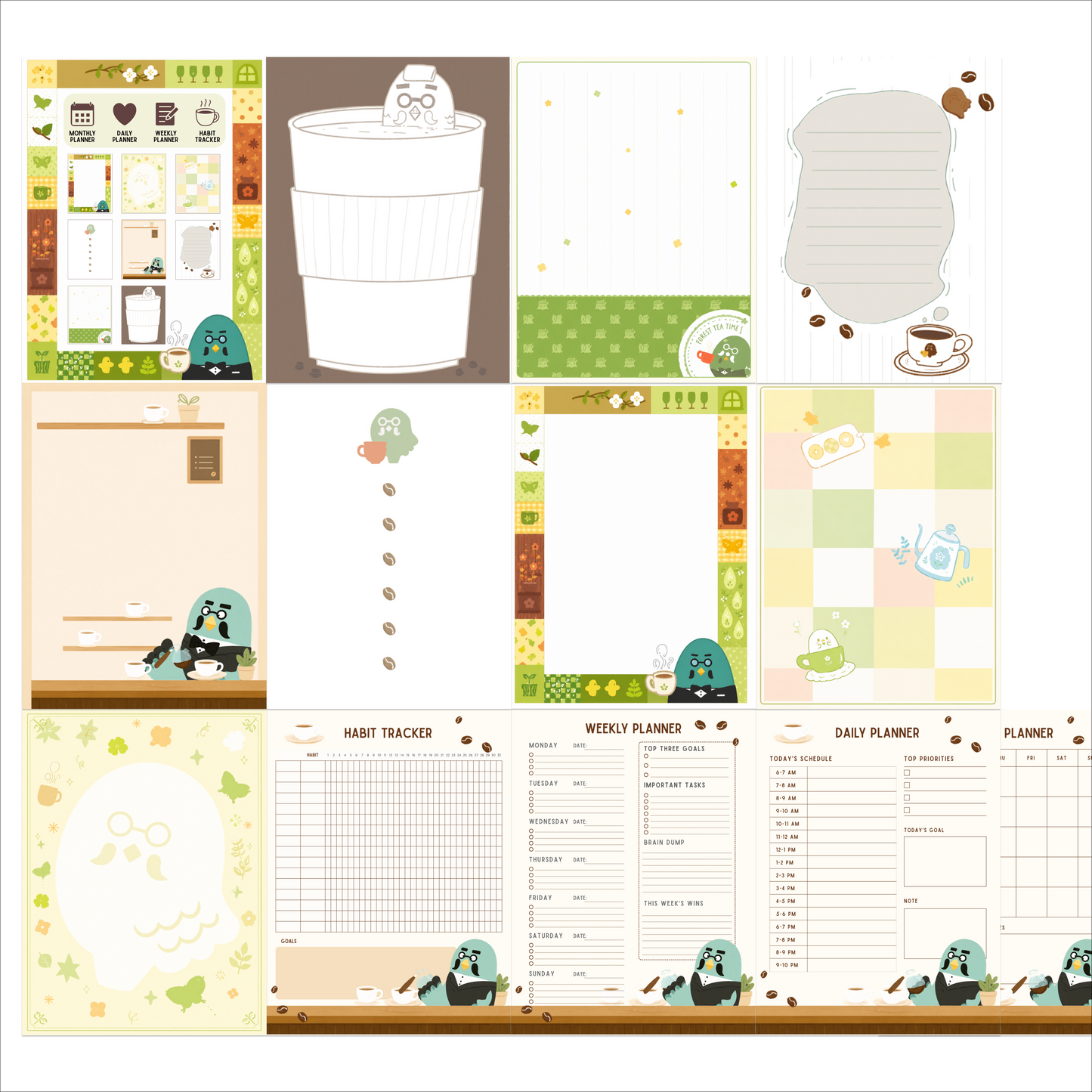
This cozy cafe digital planner brings a warm coffee-shop mood to everyday organization. It's made for students, professionals, and cozy cafe fans who plan better when their planner actually feels pleasant to open.
The planner includes monthly calendar layouts, weekly planner pages, and daily journal sections for tracking habits and moods, plus a dedicated habit tracker and pages for organizing expenses and savings. Multiple note page styles - lined, grid, and blank - cover everything from lecture notes to doodles, and hyperlinked navigation tabs let you tap straight to any section instead of scrolling through the whole file. All pages are reusable, so the planner keeps working for as long as you want it.
It's compatible with GoodNotes, Notability, Xodo, and similar annotation apps on iPad and tablets. The download is a ZIP archive containing PDFs and PNGs; import the PDF into your note app and start planning with your stylus right away.
Delivery is instant: your download link appears with the order confirmation and in your email the moment your purchase completes, and you keep lifetime access to the files - nothing ships and there's nothing to wait for.
Please note that as an instant digital download, this planner is non-refundable once the files have been accessed. This is an original design inspired by a popular aesthetic; it is not affiliated with any game or film franchise.
Share

Frequently asked questions
How do I get my files after purchase?
After you complete your checkout, you’ll see a download link on the order confirmation page.
You’ll also receive a confirmation email with the same download link.Click the link to instantly download your files to your device. It will be a zip file(since it contains multiple files),please unzip it~
Didn’t get the email?
Check spam/junk folders. Still missing? Contact us — we’ll resend or provide a Google Drive link.
Why is it a ZIP file? How do I unzip it?
It needs to be a zip file to include multiple PDFs, PNGs, or fonts).
Here’s how to open it 👇
- Mac: Double-click to unzip automatically.
- Windows: Right-click → “Extract All” or open with WinRAR / 7-Zip.
- iPad / iPhone: 1. Open the Files app, then find the ZIP file or archive you want to uncompress.2. Tap the ZIP file or archive. A folder will be created containing the files(and u can see the files inside now~)
- Android: Use Files by Google or any unzip app (like ZArchiver).
How to import the planner into my device?
Take Goodnotes as example,There are several ways to import:
- 、Open GoodNotes → tap “+” → Import → choose your downloaded file (from Files / iCloud / Dropbox).
- Or open your file in Files / Mail / Safari → tap “Share” → Open in GoodNotes / Copy to GoodNotes.
- You can also upload to your Drive or Dropbox, then open from there inside GoodNotes.
You can find a more detailed tutorial in our blog posts↓
More questions?
Our Blog has more how-to guides (and we’re still adding new ones!) — go take a look 💕
Blog posts
View all-
Stardew Valley Digital Planner Setup for GoodNotes
Set up a Stardew Valley digital planner in GoodNotes: import steps, fixing hyperlinked tabs, adding farm stickers, and seasonal planning ideas.
Stardew Valley Digital Planner Setup for GoodNotes
Set up a Stardew Valley digital planner in GoodNotes: import steps, fixing hyperlinked tabs, adding farm stickers, and seasonal planning ideas.
-
How to Choose a 2027 Digital Planner (Buying Gu...
How to choose a 2027 digital planner: dated vs undated, what to check before buying, planner styles compared, and why October beats January.
How to Choose a 2027 Digital Planner (Buying Gu...
How to choose a 2027 digital planner: dated vs undated, what to check before buying, planner styles compared, and why October beats January.
-
How to Use a Digital Planner: Beginner's Guide ...
Learn how to use a digital planner on iPad or tablet, from importing the PDF to daily planning with hyperlinks, stickers, and app tips.
How to Use a Digital Planner: Beginner's Guide ...
Learn how to use a digital planner on iPad or tablet, from importing the PDF to daily planning with hyperlinks, stickers, and app tips.